How it works
The real steps pulled from the SKILL.md — the agent runs them in this order.
- 01
Establish the content and output location
Read the target repository and its instructions before writing. Identify the brand, audience, products, page needs and available content: name and one-line promise, the product range (names, prices, sizes, what makes each different), how people buy (online, stockists, wholesale,
- 02
Choose the deliverable
No existing project: build **one self-contained HTML file** from the template, like the store demo. This is the default; do not ask a stack question. The buyer has a framework project or asks for one: inspect it first and port per `references/framework-adaptation.md` (Next.js App
- 03
Read and preserve the visual system
Read `references/style-guide.md` and `references/visual-contract.md`, then open `references/template.html`. Keep these signatures in every output:
- 04
Plan the complete page family
Read `references/page-library.md`, `references/route-inventory.md` and `references/interior-pages.md`. Inventory every navigation item, card, product, recipe, collection and form destination. Give each entity an id, title, category, specific description and its own image subject.
- 05
Plan and create the imagery
Read `references/image-plan.md`. Before generating anything:
- 06
Build the structure
Use shared components for header, mobile menu, search dialog, bag drawer, buttons, chips, product card, recipe card, forms, toast and footer. Keep collections (products, collections, recipes, stockists, FAQs, notes) in data modules rendered by small components. Use semantic landm
What's in the package
36 files · 2.5 MBSKILL.mddoc · 20 KBreferences/framework-adaptation.mddoc · 8 KBreferences/icon-library.mddoc · 1 KBreferences/image-plan.mddoc · 6 KBreferences/images/box.webpmedia · 144 KBreferences/images/cafe.webpmedia · 151 KBreferences/images/farm.webpmedia · 217 KBreferences/images/founders.webpmedia · 130 KBreferences/images/mill.webpmedia · 133 KBreferences/images/p-barista.webpmedia · 79 KBreferences/images/p-berry.webpmedia · 44 KBreferences/images/p-cocoa.webpmedia · 72 KBreferences/images/p-coffee.webpmedia · 57 KBreferences/images/p-matcha.webpmedia · 67 KBreferences/images/p-original.webpmedia · 55 KBreferences/images/p-vanilla.webpmedia · 42 KBreferences/images/picnic.webpmedia · 152 KBreferences/images/r-latte.webpmedia · 70 KBreferences/images/r-pancakes.webpmedia · 101 KBreferences/images/r-porridge.webpmedia · 102 KBreferences/images/r-smoothie.webpmedia · 70 KBreferences/images/recipe-bread.webpmedia · 166 KBreferences/images/recipe-cocoa.webpmedia · 104 KBreferences/images/table.webpmedia · 74 KBreferences/images/team.webpmedia · 175 KBreferences/interior-pages.mddoc · 4 KBreferences/motion-system.mddoc · 4 KBreferences/page-library.mddoc · 3 KBreferences/quality-checklist.mddoc · 4 KBreferences/reui-components.mddoc · 2 KBreferences/route-inventory.mddoc · 3 KBreferences/style-guide.mddoc · 11 KBreferences/template.htmlweb · 250 KBreferences/visual-contract.mddoc · 5 KBscripts/inline-assets.mjscode · 5 KBscripts/validate-design.mjscode · 18 KB
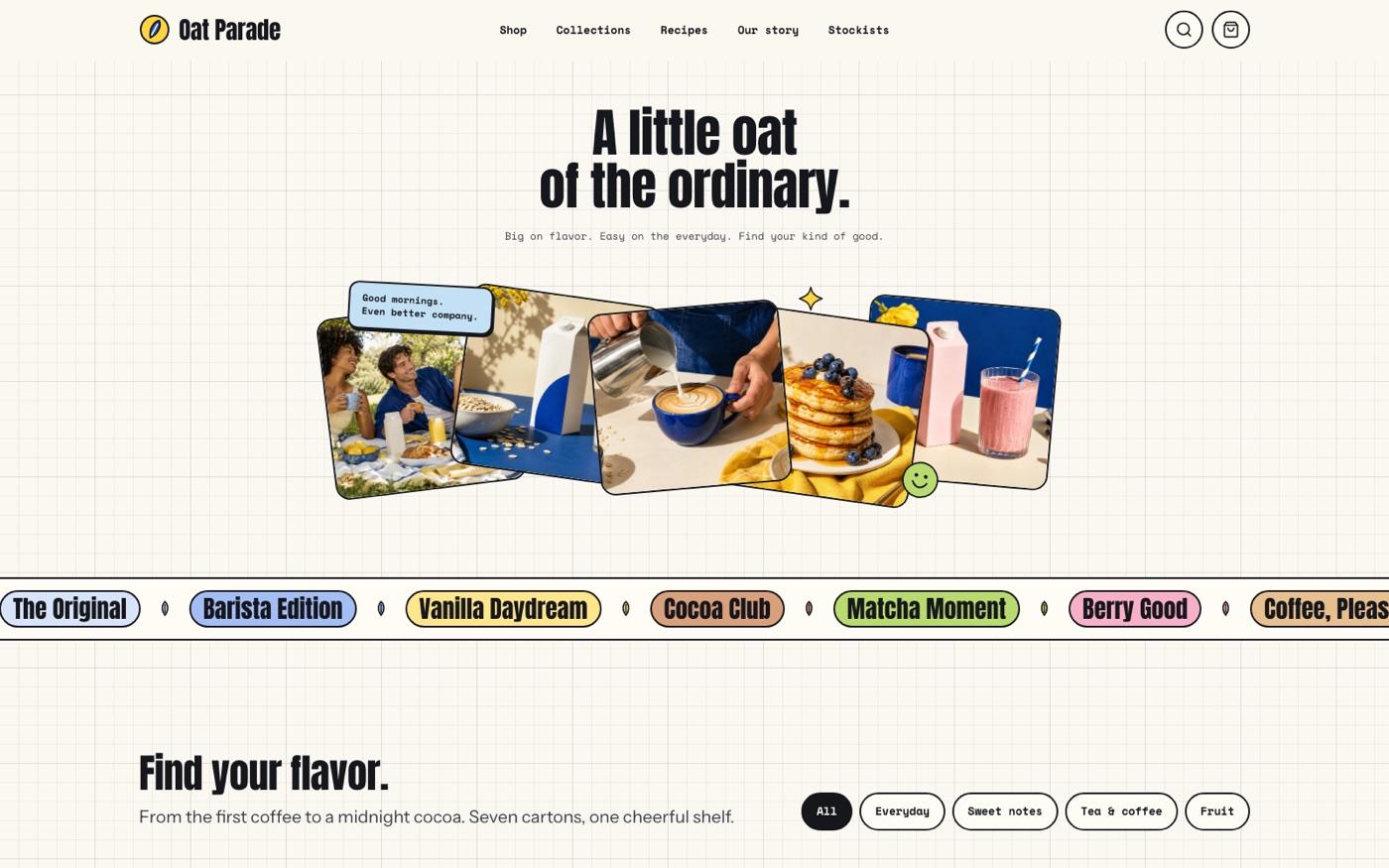
Gridpaper Beverage Brand
A beverage brand site on warm grid paper with outlined product cards, a rotating photo fan and a flavour palette.
- Files
- 36
- Scripts
- 2
- Source
- 2.5 MB
Where to put it
mkdir -p ~/.agents/skills
unzip bs-gridpaper-beverage-brand-site.zip -d ~/.agents/skills/What it needs
- · 运行环境:node · npx
Original English briefFrom the SKILL.md
Build a complete multi-page website with warm grid paper, heavy condensed display type, outlined product cards, a rotated photo fan and playful flavor colors. Includes connected content pages and interactive controls, with a reusable visual system for new brands and content.
Keep going